
Streamio Player
IPTV player · Google TV · Android TV
Your playlist.
Every screen.
Streamio Player plays the IPTV list you already have — M3U or Xtream Codes — with live previews, a real TV guide and your own channel groups. Set up from your phone in a minute.
100% ad-free — in the free version too
Opens streamioplayer.com
- No ads in Free or Pro
- No tracking
- 23 languages
- Made for the remote
M3U & Xtream Codes
Links, accounts and XMLTV guides
Google TV & Android TV
TVs, boxes and sticks
Phones & tablets
Android 7.0 and newer
23 languages
Including right-to-left
Zero ads. Really.
No ads. Not one.
Not even in the free version.
Ads that pop up before every channel, banners over the picture, videos you can’t skip — that is what people complain about most in IPTV apps. Streamio Player has none of it, in Free and in Pro alike.
Nothing before your channel
No video ad when you switch channels, open the app or come back from the menu.
Nothing over the picture
No banners, no pop-ups, no “rate us” nags. The screen belongs to what you watch.
No ad tracking
No ad networks, no advertising ID, no analytics SDKs inside the app.
- Pro is not “remove ads” — there are no ads to remove. Pro simply adds extra features.
How it works
From install to watching in a minute
No typing long links with the remote. Your phone does the work.
- 1
Open the app on your TV
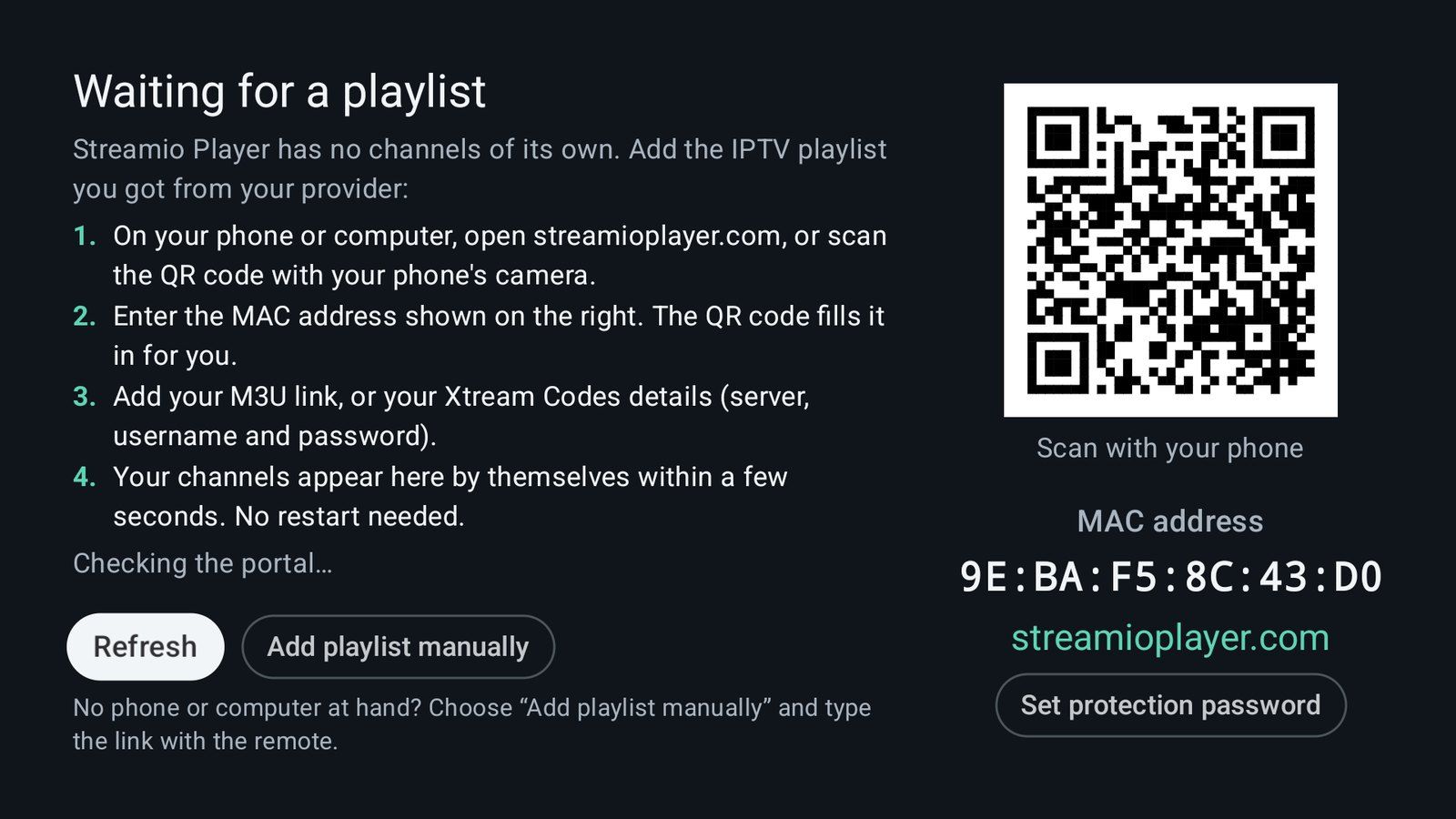
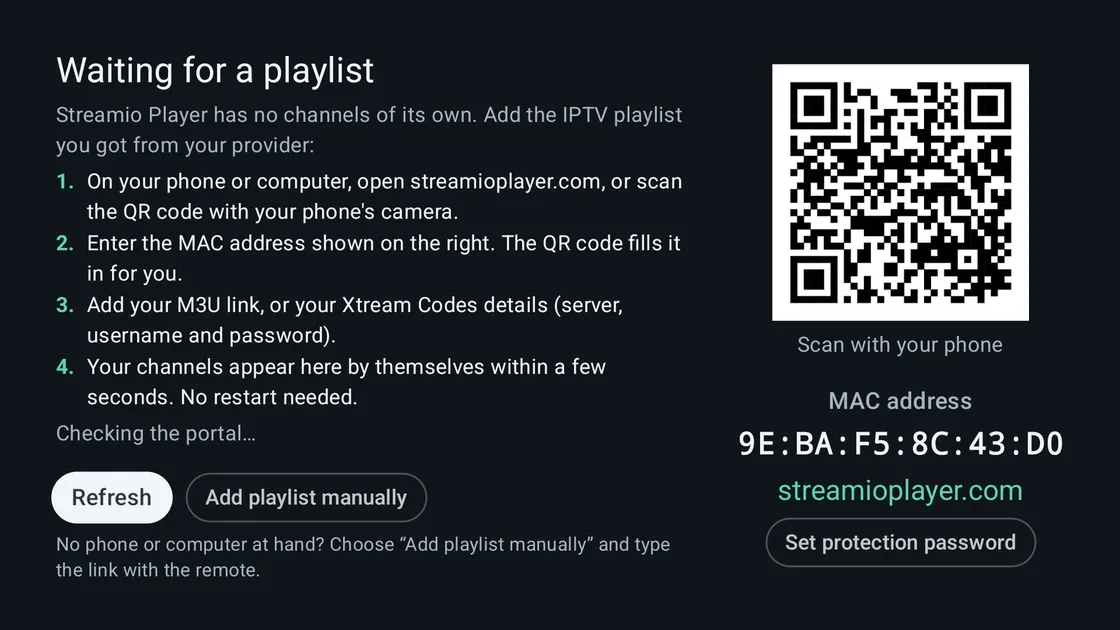
It shows the device’s MAC address and a QR code.
- 2
Scan the code with your phone
streamioplayer.com opens with the MAC address filled in.
- 3
Add your playlist
Paste your M3U link or enter your Xtream Codes details.
- 4
Watch
Your channels appear on the TV within seconds — no restart.
No phone at hand? Add the link right in the app with the remote.
Inside the app
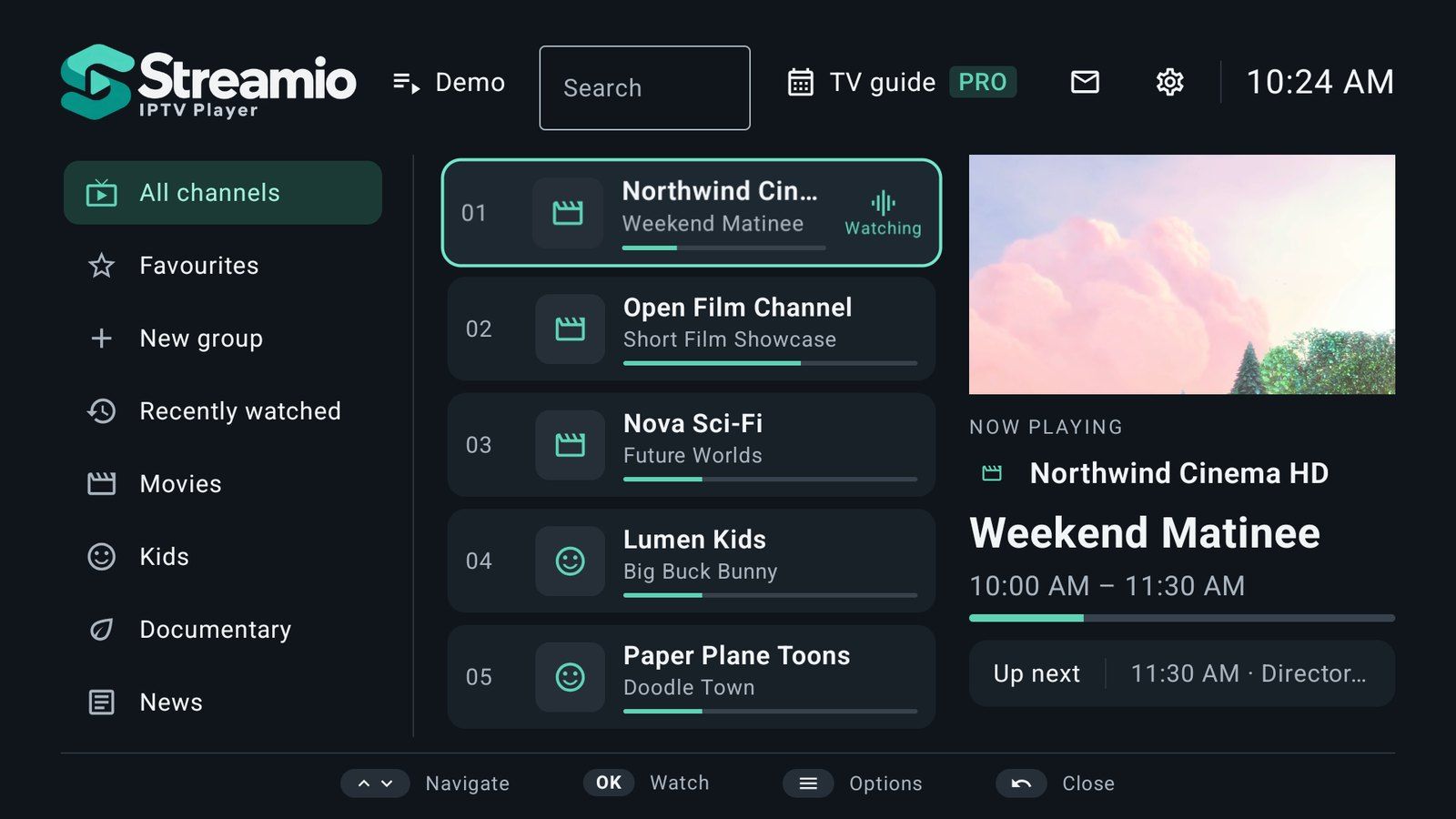
Designed for the couch
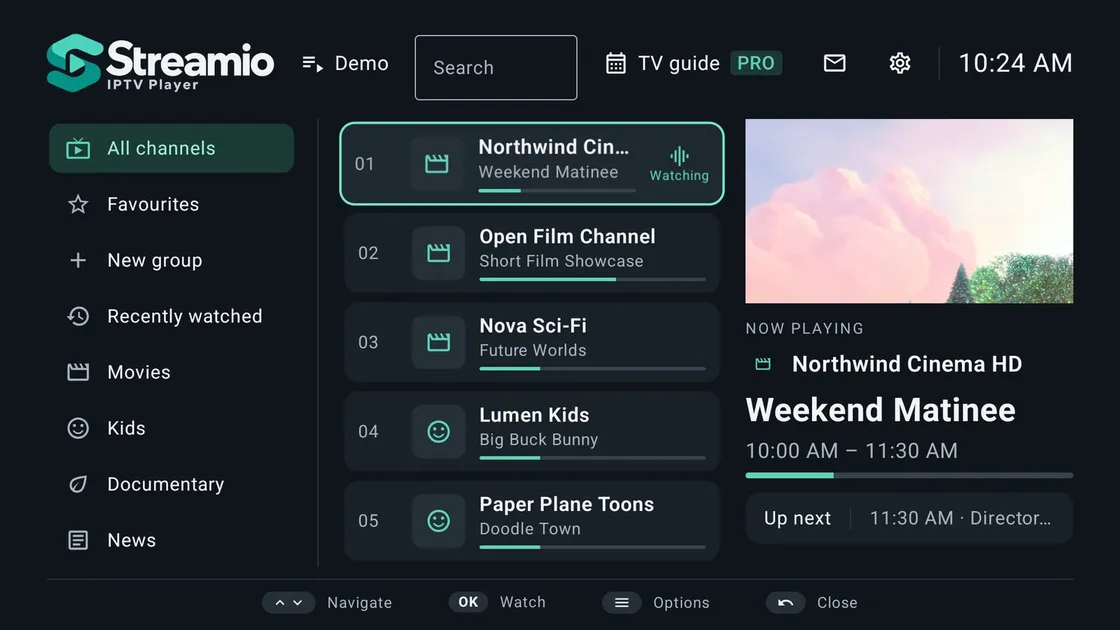
Browse with a live preview
Groups on the left, channels with what is on now in the middle, and the focused channel playing on the right.
- Type a channel number with the remote
- Now and next under every channel
- Your groups right under Favourites
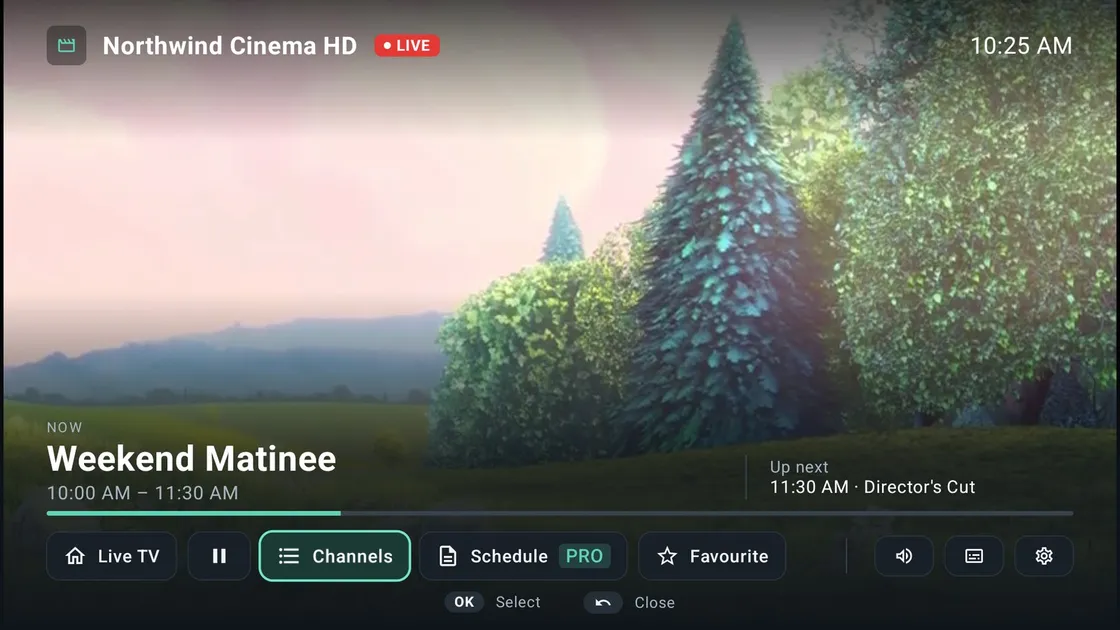
A player that keeps going
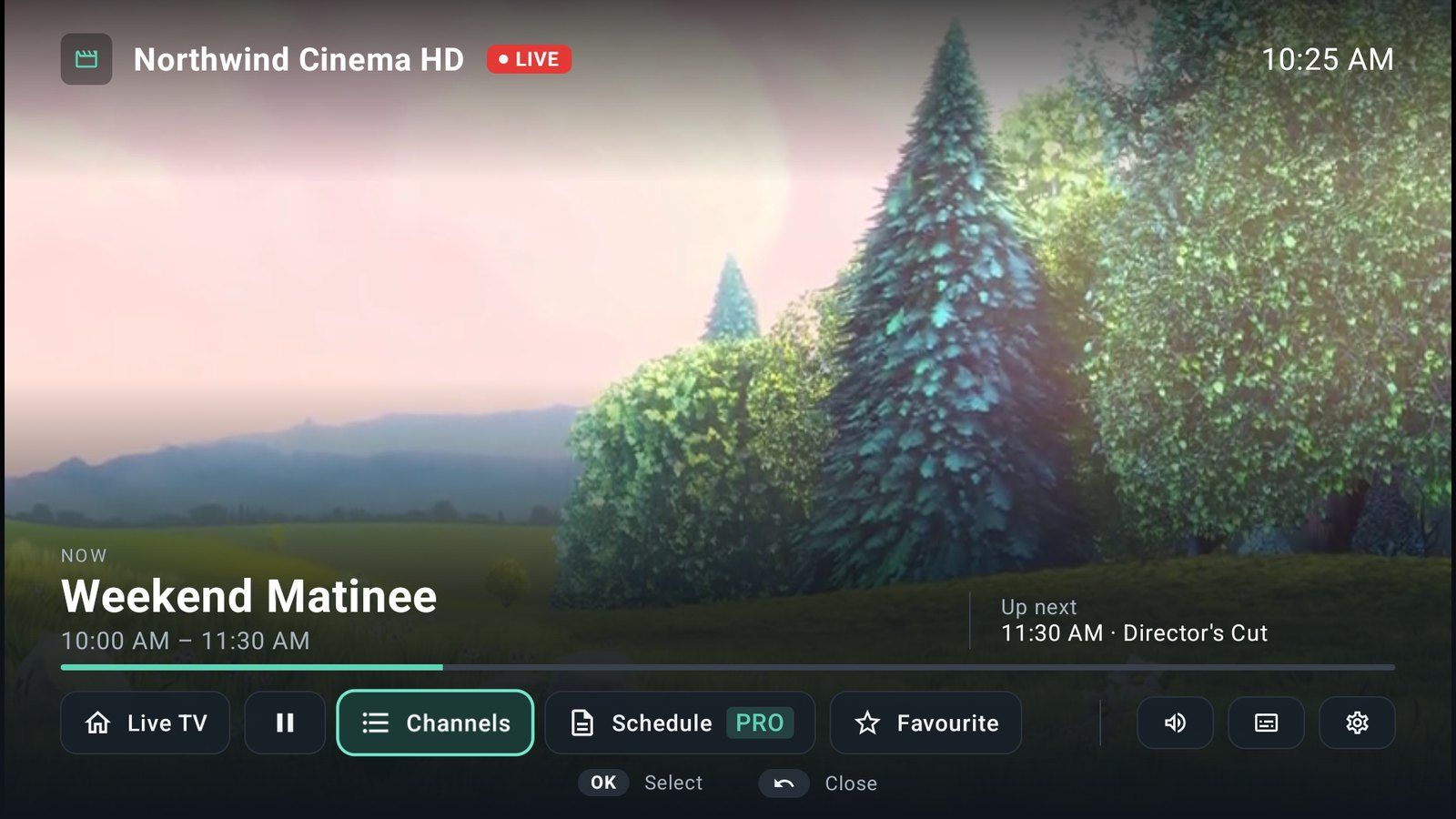
Big, readable information when you need it and nothing when you don’t. When your provider drops for a moment, Streamio reconnects by itself.
- Channel up / down, even inside your own groups
- Audio tracks, subtitles and aspect ratio
- Back to the channel list with one button
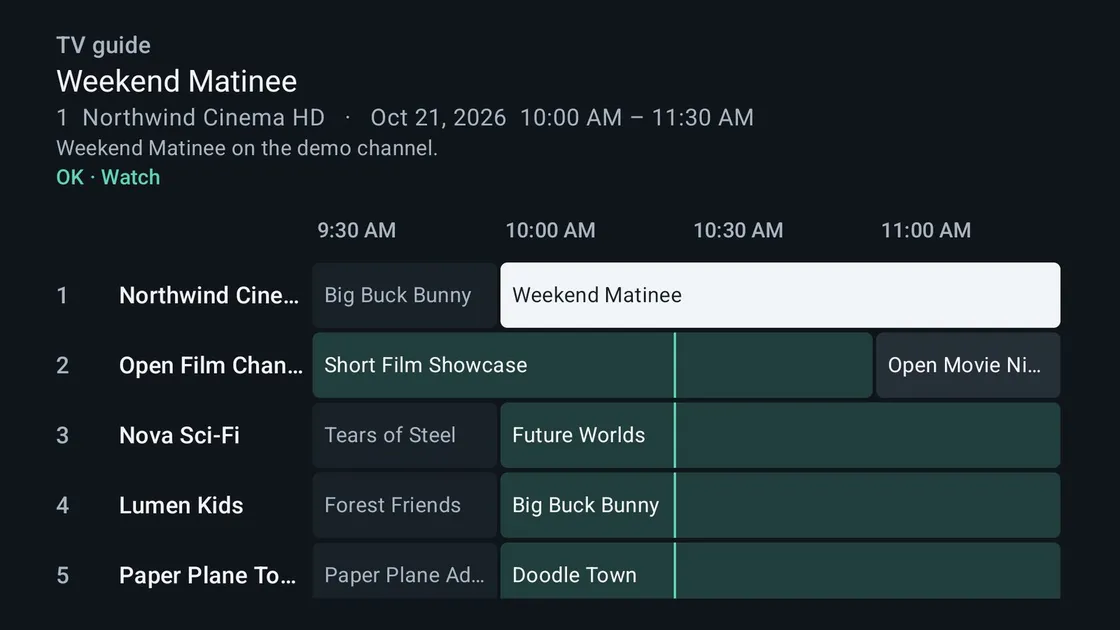
A real TV guide
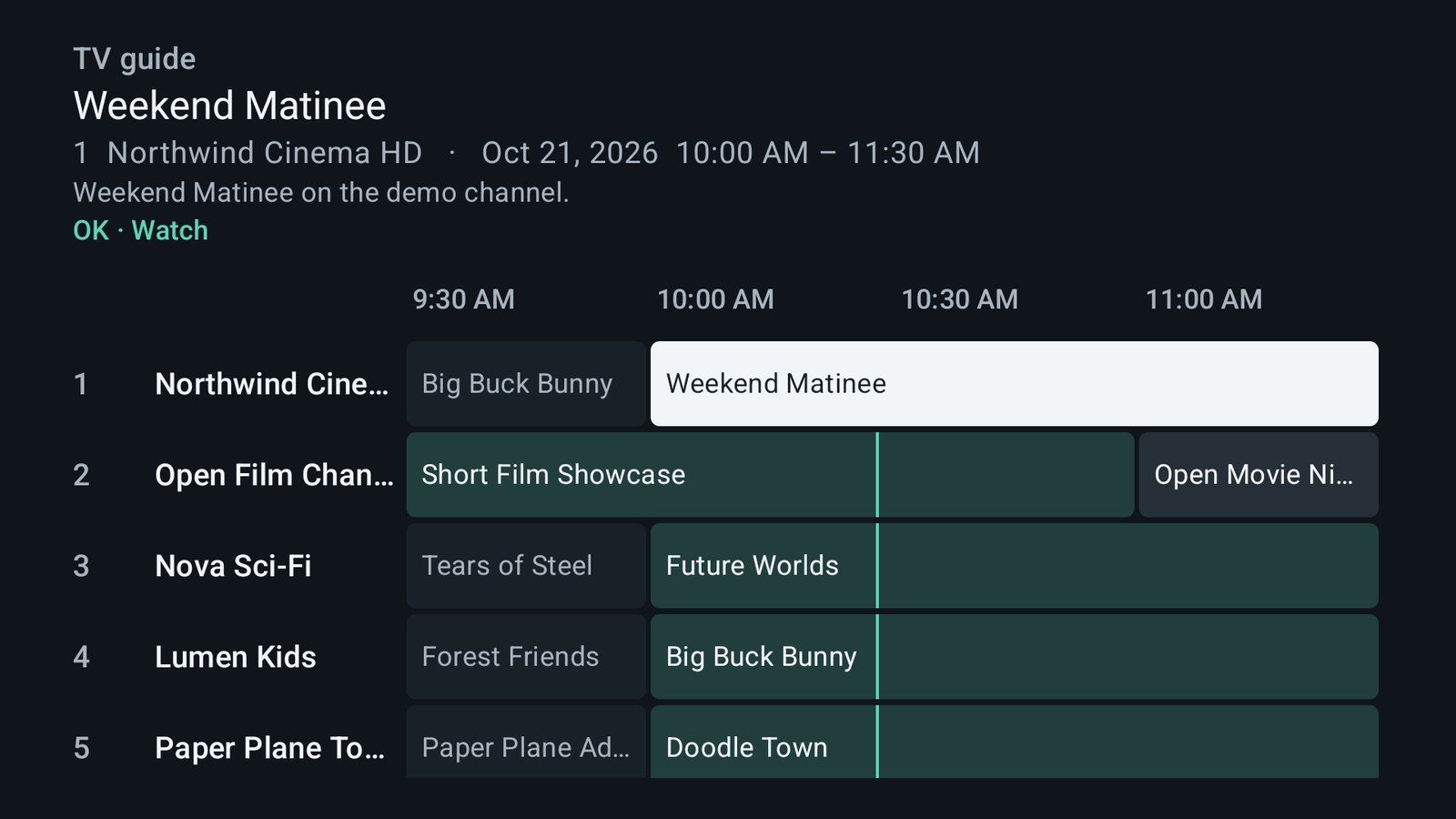
Programmes of every channel side by side. Guides are matched to your channels automatically.
- Reminders before a programme starts
- Catch-up where your provider offers it
- Works with XMLTV and Xtream guides
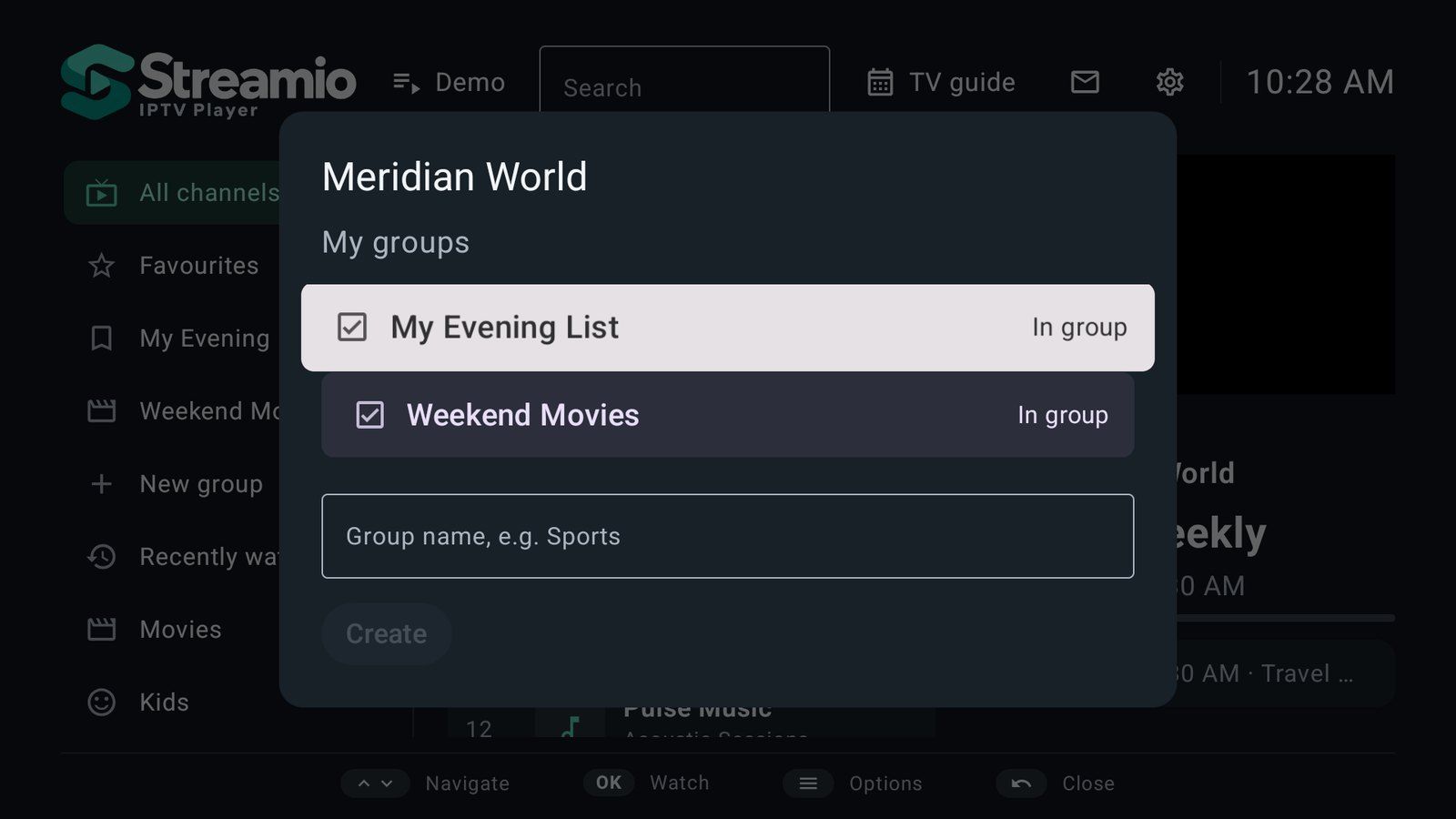
Channels, your way
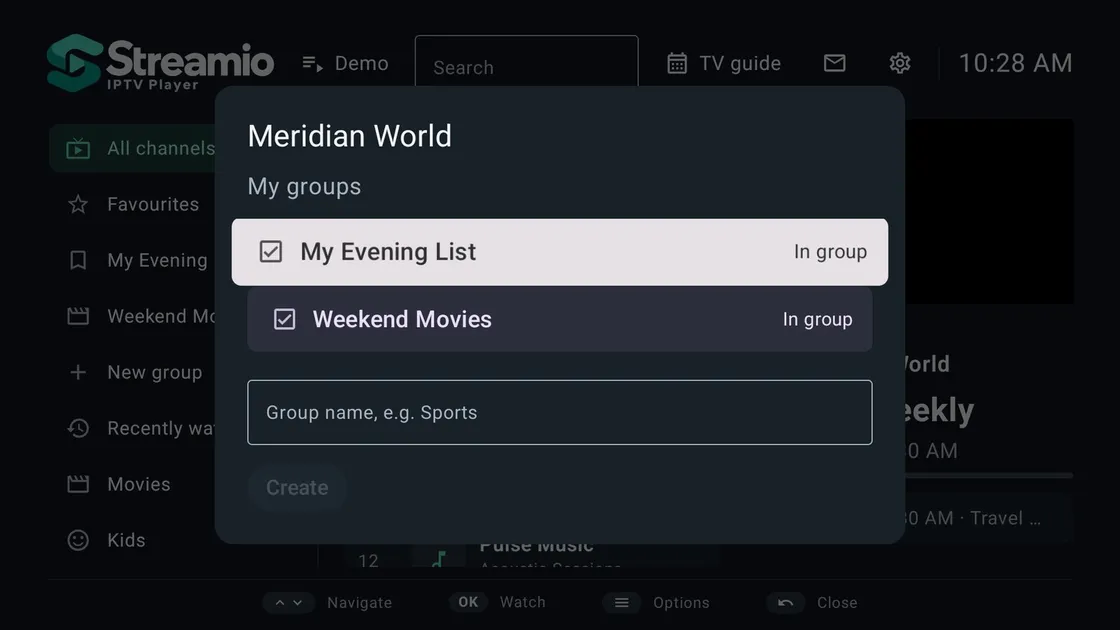
Create groups like Sports or Kids, add any channel to any group, and keep the list the way you like it.
- Favourites and own groups
- Hide, rename and reorder channels
- Lock groups with a parental PIN
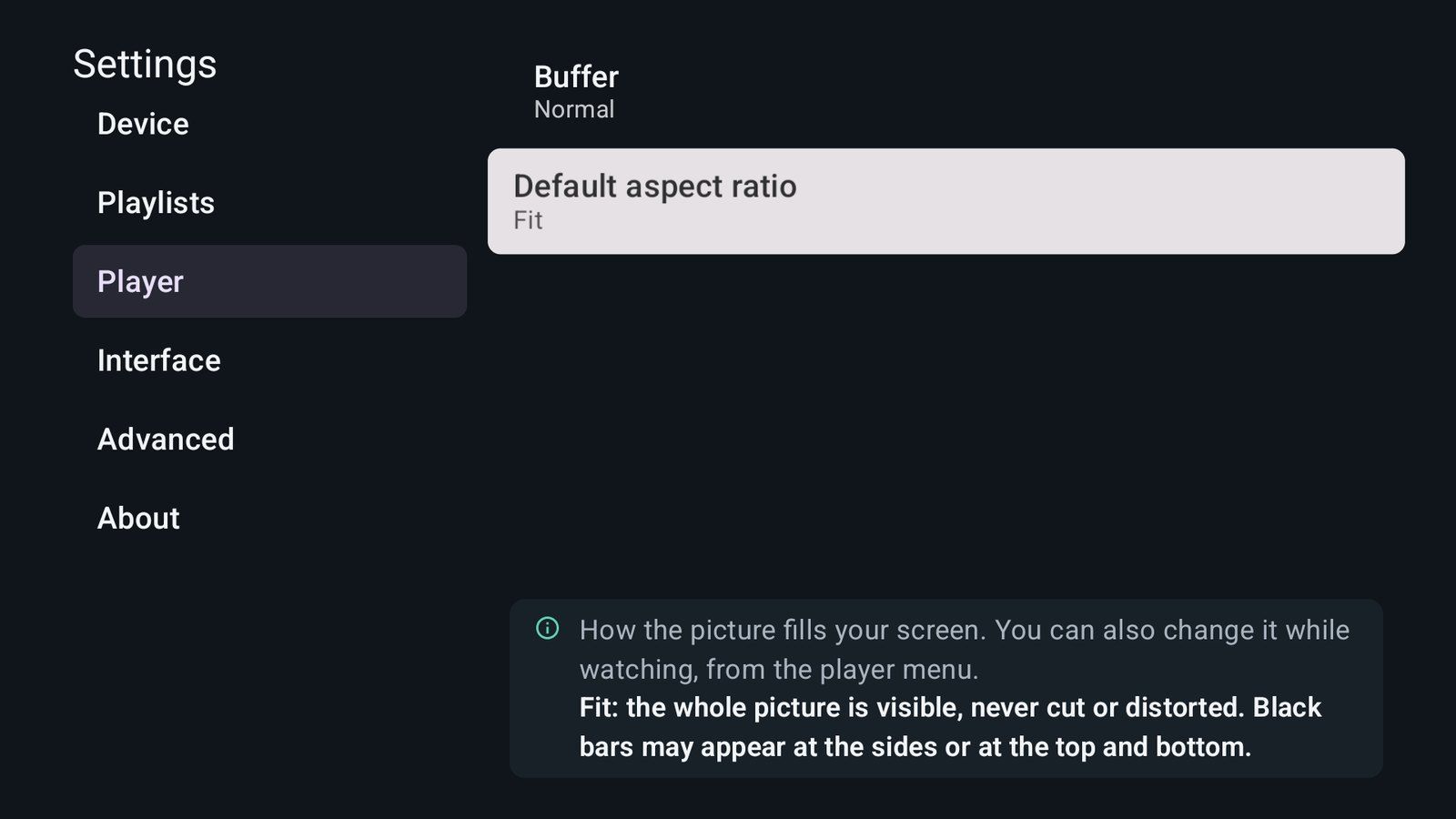
Every setting explained
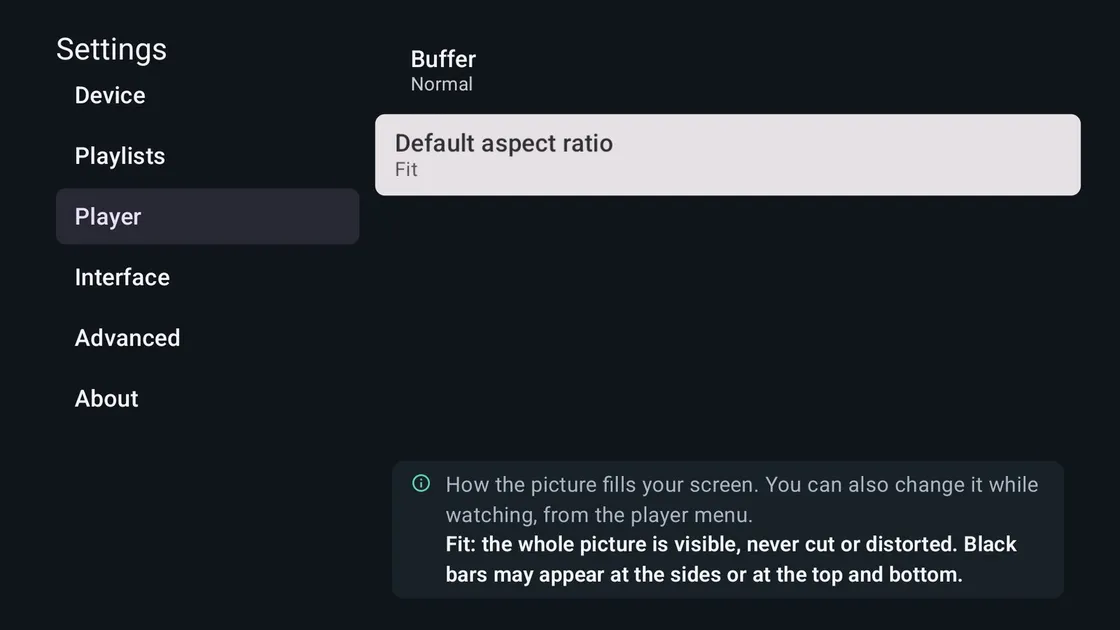
Not sure what “Stretch” or “Buffer” means? Each option explains itself on the screen, in plain words.
- Aspect ratio, buffer and start-up behaviour
- Protection password for your device
- Help in all 23 languages
Features
Everything you need, nothing you don’t
Set up in a minute
Scan the QR code on the TV, add your M3U link or Xtream Codes account on the website, and your channels appear by themselves.
Made for the remote
Every screen works with the D-pad. Live preview while you browse, channel numbers, and channel up / down in the player.
TV guide
Now and next on every channel, a full guide grid, reminders and catch-up where your provider offers it.
Your own groups
Create groups like Sports or Kids, add any channel, and switch channels inside a group.
Keeps playing
Reconnects by itself when your provider has a hiccup, and recovers from frozen pictures on older boxes.
Private by design
No ads, no tracking, no account. Protect your device with a password and lock groups with a parental PIN.
Free and Pro
Free forever. Pro when you want more.
Both plans are completely ad-free. The free version has no time limit; Pro unlocks the extras for one device — monthly, yearly or once for life.
Free
No time limit
- No ads — ever
- One portal and one local playlist
- Live preview, channel numbers, search
- Now and next on every channel
- Favourites and up to 3 own groups
- Phone, tablet and TV
Pro
PROMonthly · Yearly · Lifetime
Prices shown in the app and on the portal
- No ads — ever
- Several playlists at the same time
- Full TV guide and reminders
- Catch-up and timeshift
- Movies and series (Xtream)
- Unlimited own groups
- Cloud backup and restore
- Hide, rename and reorder channels
- Parental PIN and sleep timer
Screenshots
See it on the big screen
FAQ
Questions, answered
Are there ads?
- No. Streamio Player has no ads at all — no video ads before channels, no banners, no pop-ups — in the free version and in Pro alike. There are no ad networks or advertising IDs in the app. Pro adds features; it is not a way to remove ads, because there are none.
Does Streamio Player include channels?
- No. Streamio Player is only a player and comes without any channels, playlists or streams. You add the IPTV playlist you get from your provider, and you are responsible for having the right to watch it.
Which playlists does it support?
- M3U and M3U8 links (HLS, MPEG-TS, MP4 and DASH streams) and Xtream Codes accounts (server, username and password), with XMLTV programme guides.
Which devices does it run on?
- Google TV and Android TV (TVs, boxes and sticks) and Android phones and tablets, from Android 7.0. The TV app is fully usable with a remote.
How do I add my playlist to the TV?
- Open the app on your TV. It shows a MAC address and a QR code. Scan the code with your phone or open streamioplayer.com, enter the MAC address and add your M3U link or Xtream account. The list appears on the TV within seconds. You can also type the link with the remote.
Is it free?
- Yes. The free version has no ads and no time limit. Pro adds several playlists at the same time, the full TV guide, catch-up, movies and series, unlimited own groups, cloud backup, channel management, a parental PIN and a sleep timer — monthly, yearly or once for life.
What happens to my data?
- There are no ads, advertising IDs or analytics. The website stores a device identifier and what you send to that device; Xtream passwords are encrypted. You can delete your device and its data on the website at any time.
Ready to watch — without ads?
Open the app on your TV, then add your playlist on streamioplayer.com from your phone.
Go to streamioplayer.comAbout
About Streamio Player
Streamio Player turns your TV into a clean, fast IPTV player. Bring the playlist you already have — an M3U link or an Xtream Codes account from your provider — and watch it on Google TV, Android TV, phones and tablets.
No typing on the TV. Open the app and it shows a MAC address and a QR code. Scan the code with your phone, add your list on streamioplayer.com, and the channels appear on the TV within seconds. Prefer the remote? Add the link right in the app.
Browse like a TV, not like a file manager. Channel groups on the left, channels with what is on now in the middle, and a live preview of the focused channel on the right. Type a channel number, zap with channel up / down, and get back to the list with one button.
A programme guide that just works. Now and next under every channel, a full guide grid, reminders and catch-up when your provider supports it. Guides are matched to your channels automatically.
Your channels, your way. Mark favourites, create your own groups such as Sports or Kids, hide, rename and reorder channels, and lock groups with a parental PIN.
Built for real-world streams. When a provider drops for a moment, Streamio Player keeps reconnecting until the picture is back. It recovers from frozen pictures on older boxes and stays light on low-memory devices.
No ads. Not one — not even in the free version. No video before your channel, no banners over the picture, no pop-ups. The free version has no time limit either. Streamio Pro adds several playlists at the same time, the full guide, catch-up, movies and series, cloud backup and more.
Streamio Player is a media player and does not provide any channels, playlists or streams. You are responsible for having the right to watch the content you add. Screenshots show a demo playlist with the open movies Big Buck Bunny and Tears of Steel (© Blender Foundation, CC BY); channel names are made up.